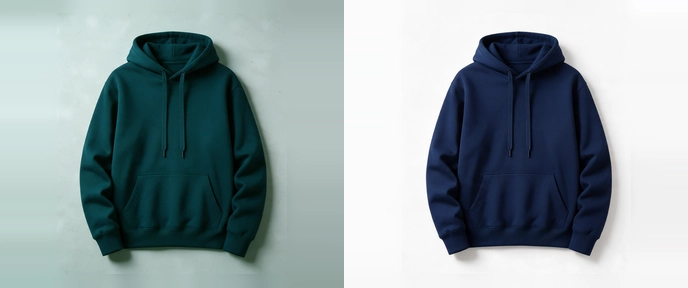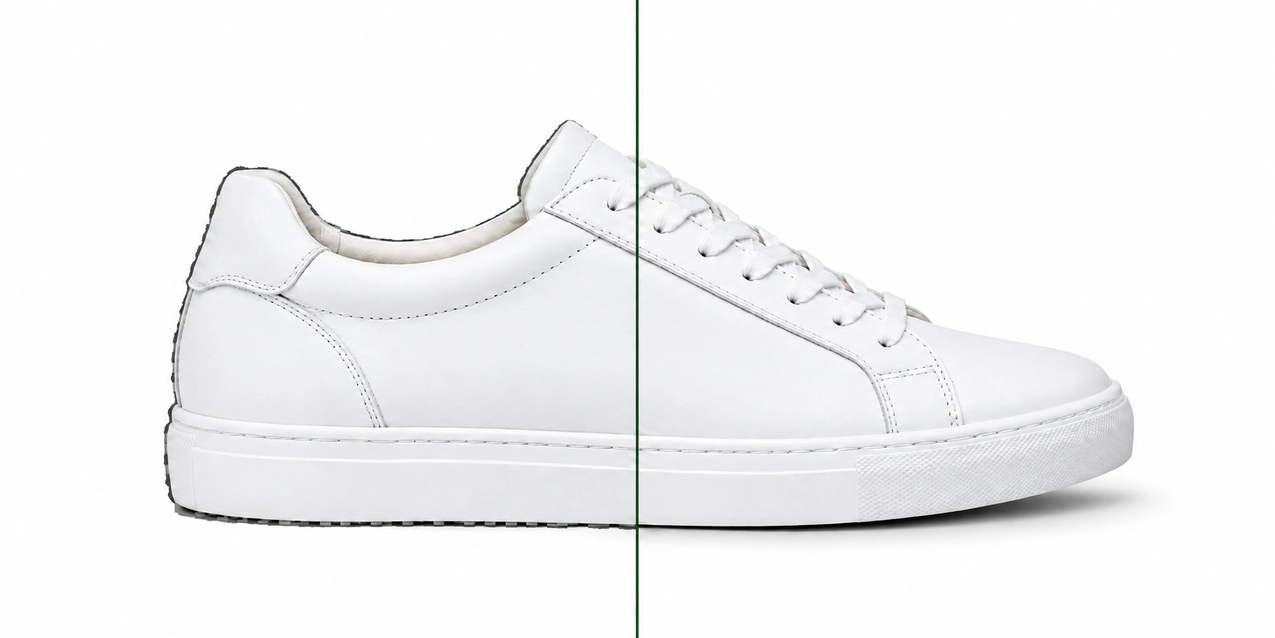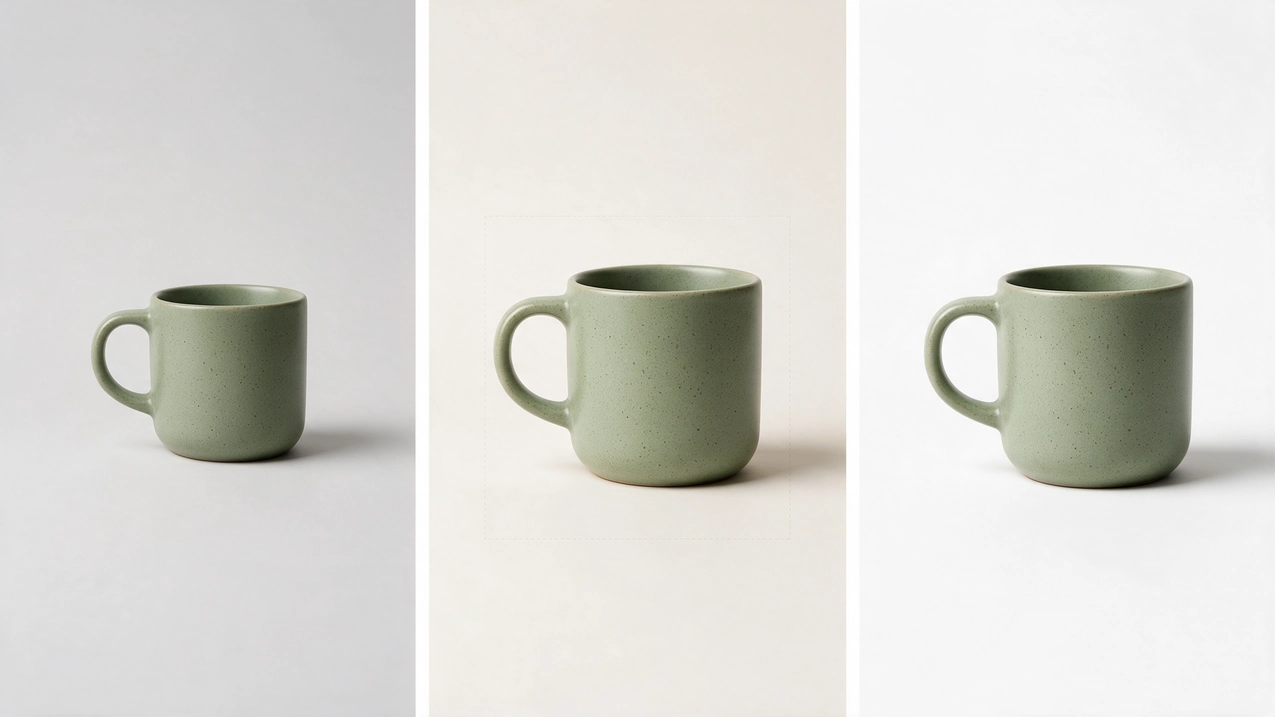
Illustrative example. One master, two platform exports.
Say you sell the same product on Etsy and eBay.
On Etsy, the photo needs room around the product so it survives three thumbnail crops, and transparent areas show up black. On eBay, the same photo cannot carry your logo or watermark, and a plain, neutral background is generally best. So you end up with a second version, then a third, each one re-edited by hand.
There is a faster way. Keep one clean, high-resolution master and create each marketplace version from it. This guide gives you the current Etsy and eBay photo requirements side by side, then shows the master-and-export workflow that saves the re-editing.
Who this is for: Etsy shop owners, eBay sellers, brands selling on both, and the agencies and marketplace managers who run their image work.
How to Read the Rules in This Guide
Not everything below carries the same weight, so each rule is labeled:
- Requirement: the platform states it as a rule or policy.
- Recommendation: the platform suggests it, or describes a likely effect.
- Best practice: our editorial advice. It is not a marketplace rule.
Figures were checked against the official Etsy and eBay pages listed at the end (October 2026). Platforms change their guidance, so confirm on the source page before you process a large batch.
Etsy Product Photo Requirements
| Topic | What Etsy says | Type |
|---|---|---|
| Image size | "We recommend your listing photos have a width and height of at least 2000 pixels or more." Etsy does not say the image must be square | Recommendation |
| First photo size | The first listing photo should be at least 635 px wide and tall "to avoid showing up lower in searches" | Recommendation tied to search placement |
| First photo shape | Should be horizontal (landscape) or square | Recommendation |
| File size | Images over 1 MB "may not finish uploading, especially on a slower internet connection" | Etsy note |
| File types | .jpg, .gif, .png, .svg or .heic | Etsy guidance |
| Transparency | Transparent parts of an image appear black on Etsy | Etsy behavior |
| Color profile | Convert to sRGB before uploading. Etsy converts images to sRGB, and CMYK is for print only | Etsy guidance |
| Thumbnails | Leave enough border that the photo can be cropped to square, portrait and landscape thumbnails "without losing some of the product" | Recommendation |
Source: Etsy Help Center, How to Add Photos to Your Listings.
Two points catch sellers most often. A cutout exported with a transparent background will show black areas on Etsy, so export on a solid background instead. And a product that fills the frame edge to edge can lose its edges in one of the three thumbnail crops.
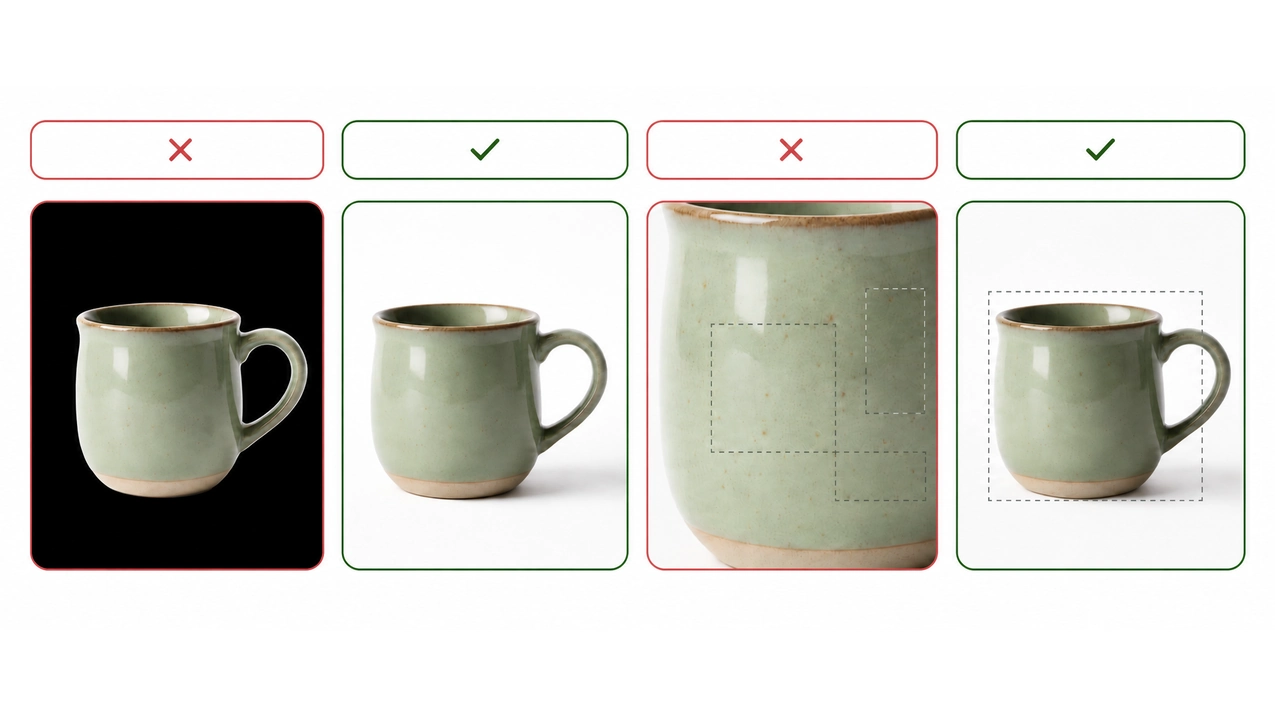
Illustrative example. Transparency shows as black on Etsy, and a tight frame can lose edges in a thumbnail crop.
eBay Product Photo Requirements
| Topic | What eBay says | Type |
|---|---|---|
| Number of photos | At least one is required. The US help page says you can add up to 24 | Requirement |
| Minimum size | Photos must be at least 500 px on the longest side | Requirement |
| Recommended size | "About 1600 x 1600" on the US help page. eBay's photo tips page suggests 800 to 1,600 px on the long side | Recommendation |
| File types | JPEG, PNG, GIF, TIFF, BMP, WEBP, HEIC or AVIF | eBay guidance |
| Background | An uncluttered space against a neutral backdrop. White is "generally best," but a darker background may work better for shiny or reflective items such as jewelry | Recommendation |
| Borders, text, marketing material | Not allowed. This includes added text, artwork, seller logos and borders that are not a natural part of the photo | Requirement |
| Watermarks | Not allowed, "including those used for ownership attributions" | Requirement |
| Stock photos | Not allowed for used, damaged or defective items | Requirement |
| Accuracy | Photos must accurately represent the item | Requirement |
Sources: eBay Help, Adding pictures to your listings, eBay picture policy and eBay photo tips.
A note on file size: eBay's own pages list different per-photo upload limits, so this guide does not give one number. Check the limit shown in the uploader for your site, and keep files only as large as the listing needs.
The rule that trips up brands most: no logos, text or watermarks on the photo. If your Etsy or Instagram images carry branding, remove it from the version you send to eBay.
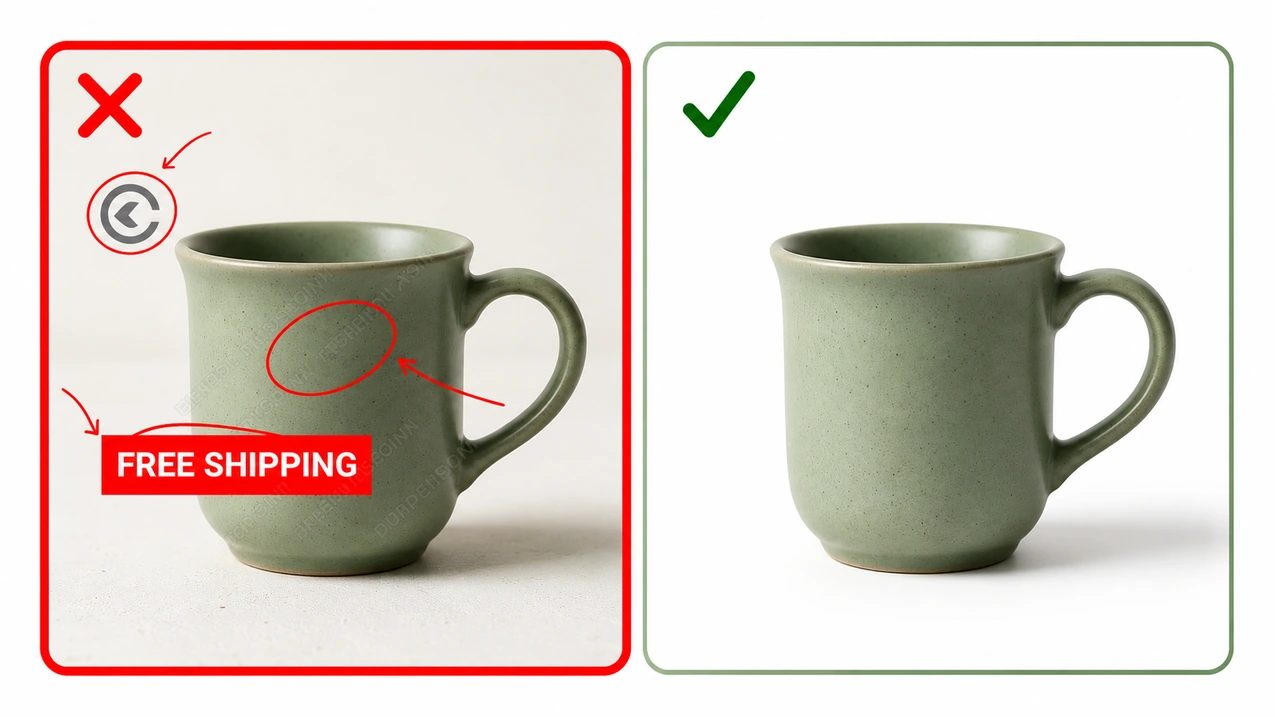
Illustrative example. eBay does not allow added text, logos, watermarks or borders on photos.
Etsy vs eBay at a Glance
| Etsy | eBay | |
|---|---|---|
| Size guidance | 2000 px or more on width and height (recommended) | 500 px longest side (required), about 1600 px (recommended) |
| Shape | First photo landscape or square, with crop room for three thumbnails | No fixed shape |
| Color | sRGB | No color profile guidance found on the pages checked. sRGB is a safe default (best practice) |
| Transparency | Appears black | Use a solid background (best practice) |
| Branding on the image | No rule found on the page checked | Not allowed |
| Background | No background rule on the page checked | Neutral, generally white |
A high-resolution master can serve both marketplaces. Where the two differ, in crop, background, branding and file weight, a platform-specific export handles it.
Compliance Is the Floor, Not the Goal
Marketplace rules decide whether a photo is accepted. They do not decide whether a buyer clicks.
A photo can meet every number above and still lose to the listing next to it, if the product is small in the frame, the detail is soft or the color is off. So work in two passes: first compliance, then buyer clarity.
Who Needs What
| If you are | Your main risk | Focus on |
|---|---|---|
| An Etsy handmade seller | Craft and detail do not come through, or the shop looks uneven | Detail shots, crop room, a written Image Standard |
| An eBay seller | Condition is unclear, so buyers hesitate or dispute | Accurate photos, close-ups of flaws, no overlays |
| A brand on both platforms | Re-editing the same photo for each channel | One master, two exports |
| An agency or marketplace manager | Batches drift from the brief across clients and SKUs | A documented standard and a repeatable export recipe |
Step 1: Capture a High-Resolution Master With Room to Crop
You do not need to design the whole shoot around one platform's rules. You need a master with enough resolution and enough framing flexibility to be exported several ways.
- Shoot wide. Etsy advises capturing further back than you think you need, so you can crop without losing part of the product.
- Shoot large. Capture at a resolution that lets you export 2000 px or more.
- Light for the material. Shiny items need soft, even light. One hot spot of glare on a ring can hide the detail the buyer came to see.
- Shoot what buyers ask about. Close-ups of the label, the clasp, the seam, the scratch.
Step 2: Clean the Background
On eBay, a neutral backdrop is the recommendation. On Etsy, no background rule appears on the official photo page, but a consistent background makes a shop easier to scan and gives the catalog a more cohesive look.
- A clipping path gives a precise edge on products with defined shapes such as jewelry, mugs, boxes and electronics. See our clipping path service.
- Photoshop masking suits hair, fur, fringe, lace and other soft edges. See photoshop masking, or read clipping path vs image masking to choose.
- Shooting at home? The white background product photography guide covers the setup.
After the cutout, place the product on a solid background before exporting for Etsy. Do not upload the transparent version.
Step 3: One Master, Platform-Specific Exports
This is the habit that saves the most time.
The master is the asset. When a rule changes, you re-export. You do not re-edit.
Keep a layered PSD or TIFF with the cutout, retouching and color work done. Then export from it:
| Etsy export | eBay export | |
|---|---|---|
| Source | Layered master | Same layered master |
| Size | 2000 px or more on width and height, with crop room | About 1600 px on the longest side, never below 500 px |
| Format | JPG in sRGB | JPEG |
| Background | Solid, no transparency | Neutral or white |
| Branding | Your choice | None on the image |
The export sizes above follow each platform's guidance. Choosing JPG or JPEG is our best practice, not a platform requirement.
You can often use one high-resolution export for both marketplaces. Separate exports earn their place when you need a different crop, a branded Etsy version, or a clean unbranded eBay version.
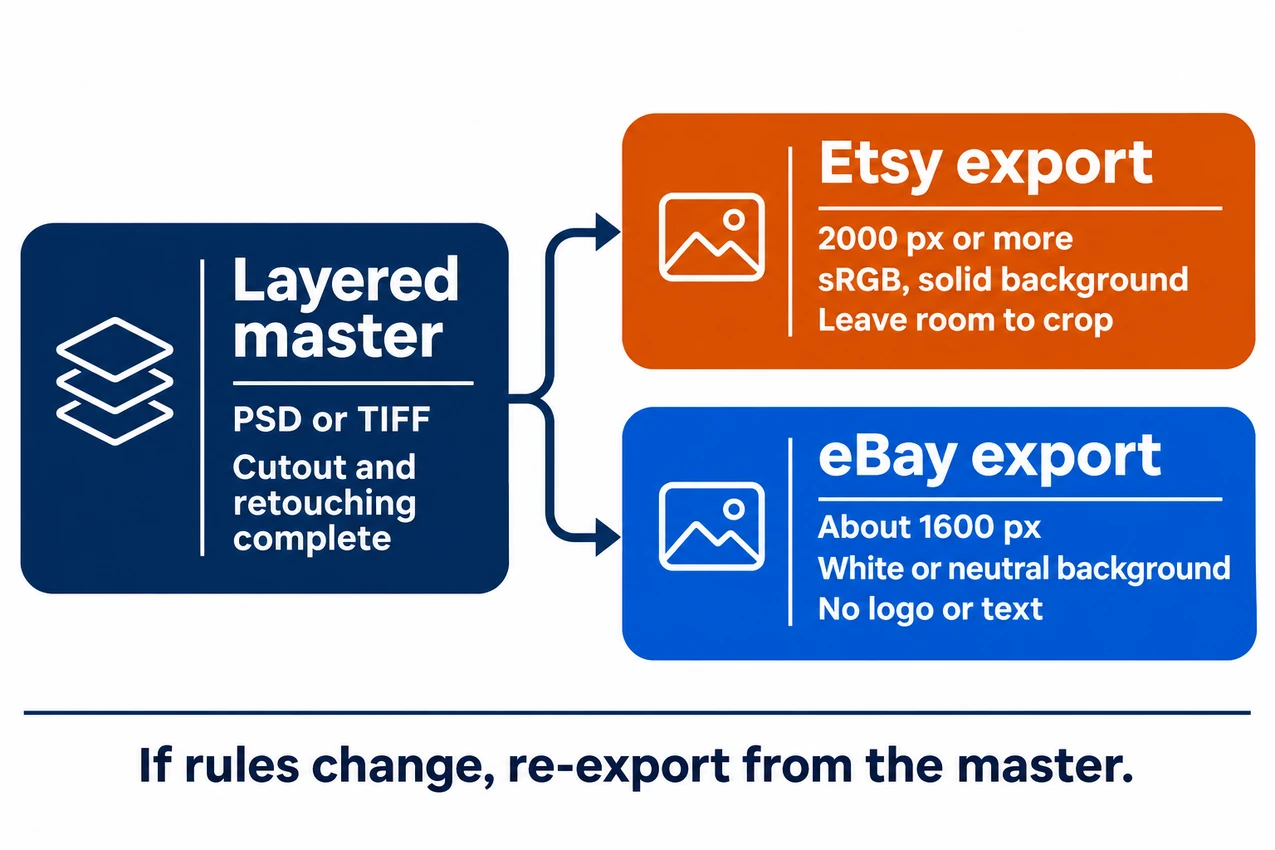
One master, two exports. When a rule changes, you re-export and do not re-edit.
Step 4: Write Down an Image Standard
A shop looks consistent when every photo follows the same four rules. Put them on one page:
- Background: the same color value across the catalog.
- Position and margin: the same placement and breathing room on the canvas.
- Scale: small and large products fill the frame by the same rule.
- Shadow and finish: the same shadow style and level of retouching.
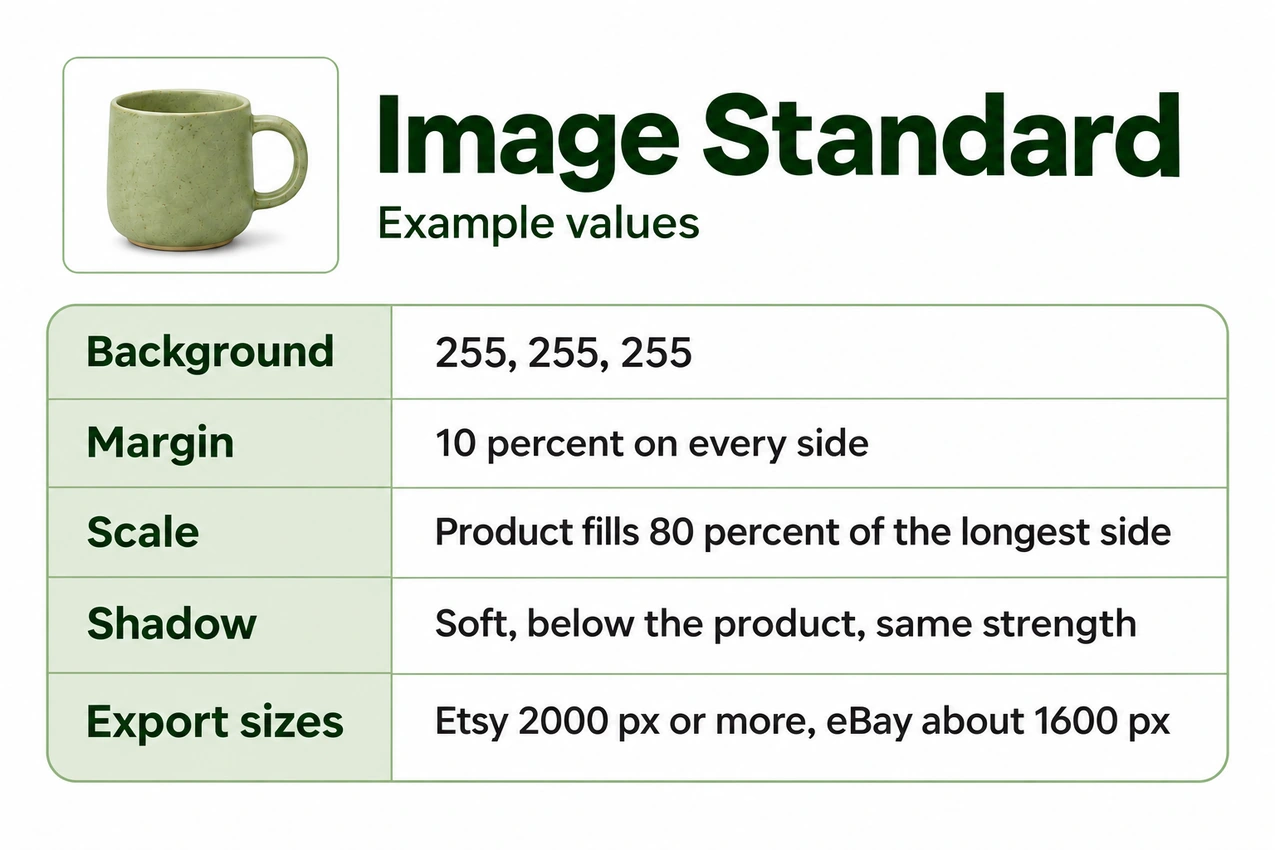
Example Image Standard. Replace the values with your own.
This one-page Image Standard is what lets a new batch match an old one, whether you edit in-house or hand the work to someone else. For the full method, read why your product photos look different across shoots.
Step 5: Answer the Buyer's Questions in Photo Order
Buyers on both platforms ask the same silent questions. Plan your photo set to answer them.
- What is it? A clean hero shot with the product large in the frame.
- How big is it? A scale shot, in hand or next to a familiar object.
- What is it made of? A close-up of texture, grain or finish.
- What condition is it in? On eBay especially, show flaws up close. eBay also requires photos to represent the item accurately.
- What does it look like in use? A lifestyle shot, which suits Etsy listings well.
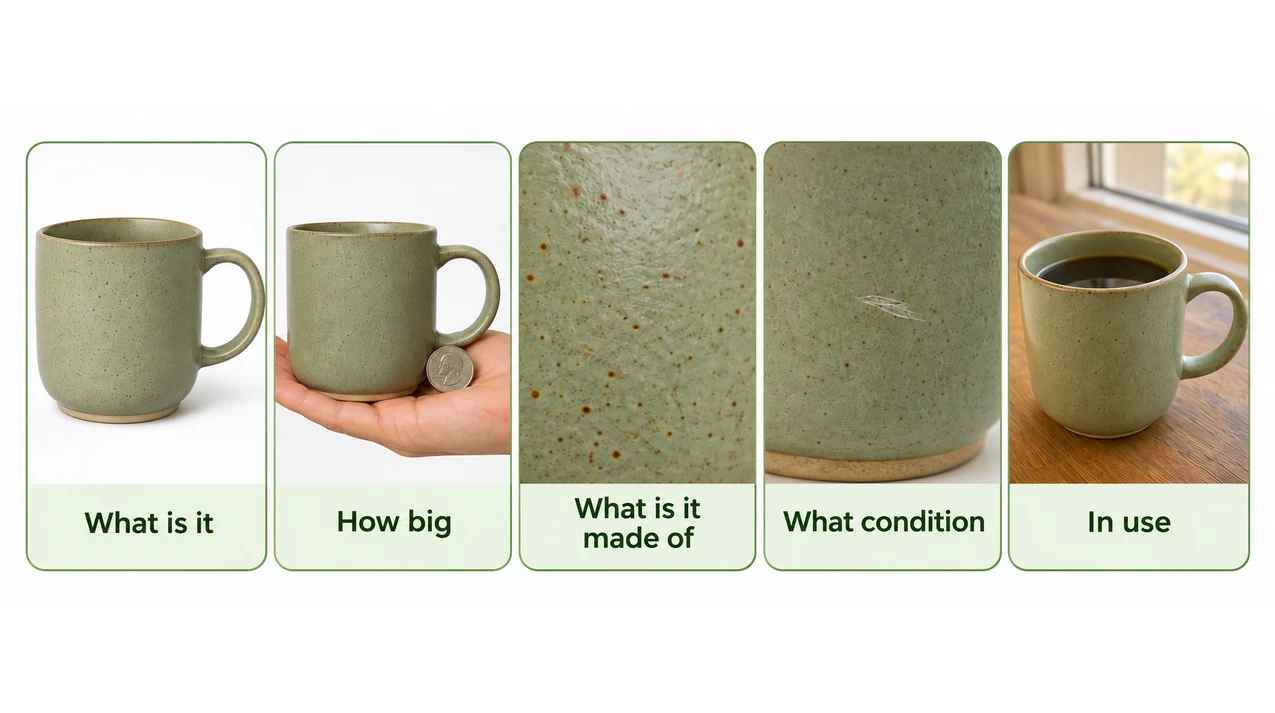
Illustrative example. Five photos, five buyer questions.
Common Image-Prep Problems and How to Fix Them
| Problem | Recommended approach |
|---|---|
| Black areas on Etsy thumbnails | The file has transparency. Export on a solid background |
| Product cut off in an Etsy thumbnail | Re-crop from the master with more border. Etsy crops to square, portrait and landscape |
| eBay overlay or watermark | Export an unbranded version from the master. eBay does not allow text, logos or watermarks |
| Colors look different on screen | Convert to sRGB before exporting, and match the product to the real item |
| Soft or pixelated detail | Start from a larger master. Upscaling a small file rarely recovers detail |
| Uneven backgrounds across a shop | Apply one background standard. A clipping path or masking gives a clean base for this |
| Hundreds of images to prepare | Batch the work to one Image Standard. In-house or outsourced, the standard matters more than who edits |
Where ClippingPathService.com Fits
If you would rather not cut, retouch and export every image yourself, this is the work ClippingPathService.com does. The team hand-cuts and finishes product images for photographers, studios, agencies, fashion brands and eCommerce retailers, and delivers layered files, so you keep an editable master to export from.
Verified figures from the company:
- 78,066+ projects delivered
- 450+ global brands and retailers served
- 200+ retouchers on the team
- 3-step quality control with human review
In one batch, a US-based jewelry brand needed 1,200 product images in 4 business days. 1,162 (96.8%) were approved in the first round, and the batch arrived 14 hours early. Read the full jewelry case study.
"Consistent from batch to batch."
Sophie Martin, Senior Photographer, Sportswear Brand
"We needed a team that could fit into our workflow and keep pace with daily production."
Michael Torres, Production Lead, Apparel Catalog Studio
Pre-Upload Checklist
Etsy
- Width and height are 2000 px or more (Etsy recommendation)
- First photo is at least 635 px wide and tall, and is landscape or square
- Image is converted to sRGB
- Background is solid, with no transparency
- Product has enough border to survive square, portrait and landscape crops
- File type is .jpg, .gif, .png, .svg or .heic, and the file is light enough to finish uploading
eBay
- Longest side is at least 500 px, ideally about 1600 px
- No logo, text, border, marketing overlay or watermark on the image
- Background is neutral, generally white, unless the item is shiny
- Photos show the actual item, not a stock photo, if it is used or damaged
- Flaws and condition are visible up close
Both
- Layered master saved separately from the exports
- Photo follows your Image Standard
- Set checked on a phone
Frequently Asked Questions
What size should Etsy product photos be? Etsy recommends a width and height of at least 2000 px. Etsy does not say the image has to be square. The first photo should be at least 635 px wide and tall to avoid showing lower in search.
What size should eBay photos be? eBay requires at least 500 px on the longest side and recommends about 1600 px.
Can I use the same photos on Etsy and eBay? You can use the same master. A single high-resolution export can often work on both, but you may want separate exports for different crops, backgrounds or branding. eBay does not allow logos, text or watermarks on photos.
Why do parts of my Etsy photo look black? Etsy shows transparent areas of an image as black. Export on a solid background.
Can I put my logo on eBay photos? No. eBay does not allow added text, artwork, seller logos, borders or watermarks.
Do I need a white background? eBay says white is generally best, with a darker background possible for reflective items. The Etsy photo page does not set a background rule, but a consistent background makes a shop easier to scan.
How much does it cost to have product images prepared? Clipping path pricing at ClippingPathService.com runs from $1.00 to $16.00 per image depending on complexity. Add-ons and faster turnaround are priced separately. See the price guide.
The Takeaway: Edit Once, Export Many Times
Marketplace rules will keep changing. A workflow that survives those changes has three parts: one clean, high-resolution master, one written Image Standard, and platform-appropriate exports made from the master instead of repeated re-editing.
If you want to see how that master looks on your own products, send a few images and tell us where you sell.
No commitment. See the edge quality on your own images first.
Share your image count, image types and deadline.
Sources
- Etsy Help Center: How to Add Photos to Your Listings
- eBay Help: Adding pictures to your listings
- eBay picture policy
- eBay photo tips
Checked October 2026.