Bulk Clipping Path Case Study: 1,200 Hand-Cut Jewelry Images in 4 Days
Real jewelry e-commerce job — fine chains, mixed metals, soft lightbox shadows. Hand-cut Pen Tool paths, two-stage QA, PSD + transparent PNG, delivered 14 hours ahead of the Friday deadline.
Results at a glance
| Metric | Value |
|---|---|
| Volume | 1,200 jewelry product images |
| Turnaround | 4 business days (delivered 14 hours early) |
| Edit type | Hand-cut Pen Tool clipping paths |
| QA | Two-stage - 200% zoom review + 1-in-5 spot check |
| First-round approval | 1,162 of 1,200 images (96.8%) |
| Re-cuts | 38 images, re-delivered same evening |
| Deliverables | Layered PSD + transparent PNG |
| Outcome | Ongoing - we now handle every new collection drop |
The brief
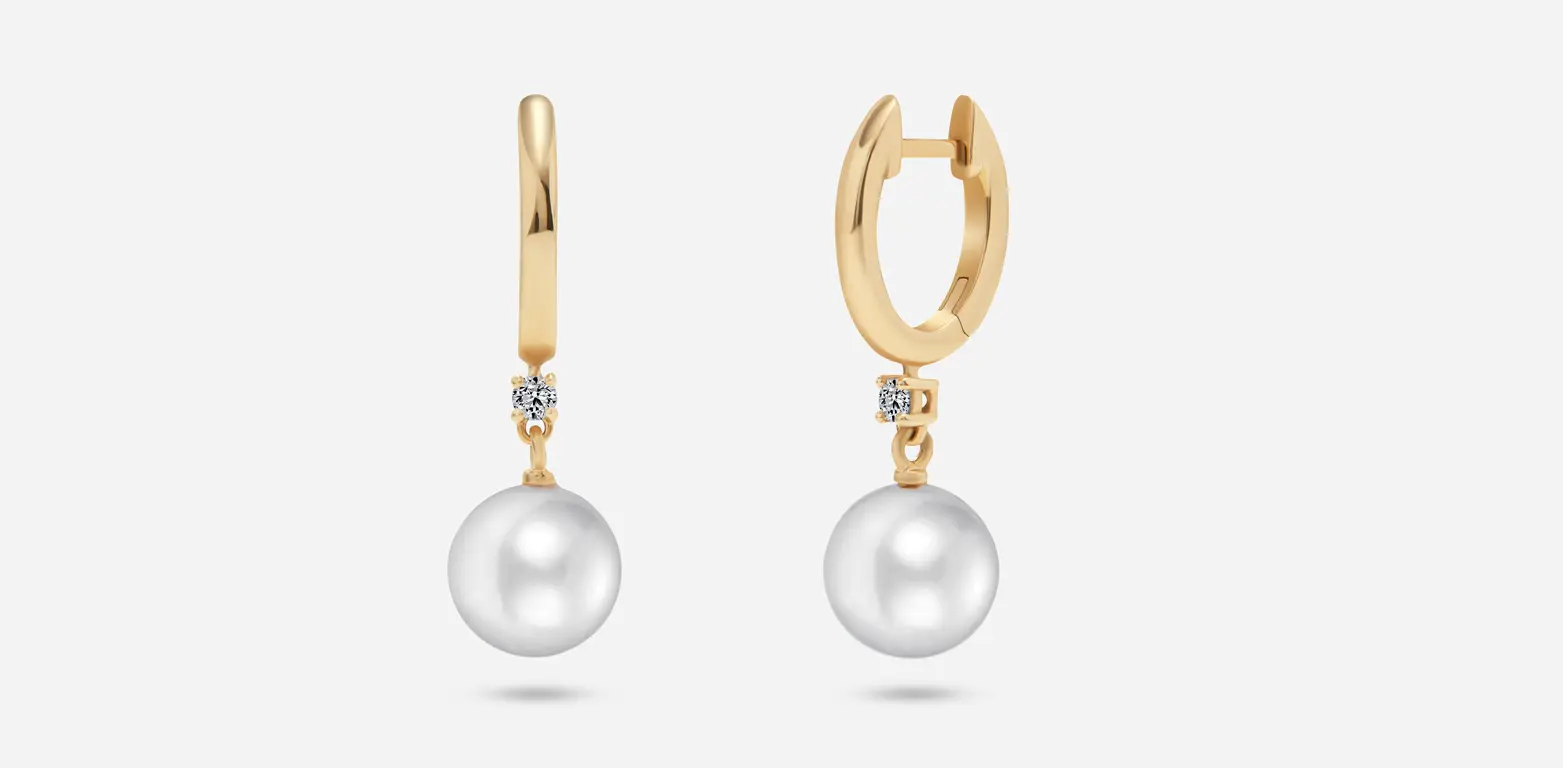
A US-based jewelry e-commerce brand reached out on a Monday with 1,200 product shots and a Friday deadline. Fine chains, mixed metals (sterling, rose gold, plated brass), and soft highlights from a tented lightbox - exactly the kind of shoot that sells a premium product page, and exactly the kind of shoot that automated background removers quietly ruin.
They'd been burned before. A previous one-click service had left jagged edges around their chains and softened the highlights on polished metal - the two details that justify a product's price point. They didn't want volume; they wanted volume without a quality drop.
The challenge
1,200 images is a volume problem. Jewelry is a precision problem. Put them together on a four-day clock and every shortcut shows up in the final catalog.
The specific edge cases:
- Fine chains links 0.8–1.5 mm wide, against a white lightbox. AI tools merge chain links into a solid line or eat them entirely.
- Reflective metal polished silver and rose gold have specular highlights that confuse edge detection.
- Soft shadows the client wanted the natural tented-lightbox shadow preserved on select SKUs, not auto-removed.
- Mixed product sizes in one folder rings next to 24-inch necklaces, so a single batch action wouldn't hold.
Our approach
We split the job across four senior editors with a dedicated QA lead, locked the brief before anyone touched Photoshop, and ran a two-stage review. (This is the same workflow we use on every bulk clipping path project).
Day 1 - intake and brief lock
- File audit: 1,200 files confirmed, 6 re-shoots flagged for the client.
- Complexity buckets: simple (rings, studs), medium (pendants, bracelets), complex (fine chains, multi-strand necklaces).
- Style guide: background #FFFFFF, shadow retention on SKU group B, output 2,400 × 2,400 px, JPEG (white bg) + PNG (transparent) + layered PSD.
Days 2-3 - production
- Hand-cut Pen Tool paths, anchors placed 1 px inside the edge to prevent fringing.
- Non-destructive layer masks on every file so the client's in-house team could re-composite for lifestyle backgrounds.
- Batch-export actions for the three deliverable formats.
- Editors delivered in 100-image tranches; QA reviewed in parallel.
Day 4 QA and handoff
- First pass: every image checked at 200% zoom for edge artifacts.
- Second pass: one in five spot-checked by a second editor.
- 38 images flagged, re-cut, and re-delivered the same evening.
- Final handoff via a shared Dropbox folder, organized
/PSD/,/PNG-transparent/,/JPEG-white-bg/.
Why hand-cut still wins on jewelry
For flat-color products on a plain background, AI background removal is fine. For jewelry, three things break every time:
- Chain resolution. A 1 mm chain against a white lightbox doesn't have enough edge contrast for AI to detect reliably. The Pen Tool doesn't care about contrast - it cares about the anchor points an editor places.
- Specular highlights on polished metal. AI tools read the highlight as background and clip into the product. A human editor reads the highlight as part of the product and paths around it.
- Shadow preservation. When the client wants the tented-lightbox shadow kept, a one-click remover strips it along with the background. Hand-cut paths let you keep the shadow as a separate layer.
Results
- 1,200 images delivered 14 hours ahead of deadline.
- 96.8% first-round approval. 38 re-cuts were turned around the same evening - no rollover into the client's Saturday.
- Zero edge artifacts flagged post-delivery. The client's product manager told us the chain detail was the cleanest they'd seen.
- Ongoing engagement. The brand now routes every new collection drop to our team.
"The chain detail was the cleanest we've seen. Our previous editor took twice as long and the edges were never this sharp. They're our default now."
- M., Product Manager, US jewelry e-commerce brand (name withheld by request)
Key takeaways
- Volume jobs survive deadlines only if you split the work and lock a single QA standard before production starts.
- Hand-cut Pen Tool paths still outperform AI for fine chains, hair, fur, and reflective surfaces.
- Delivering both PSD and transparent PNG removes a step from the client's production pipeline.
- A two-stage QA with a second editor catches the edge cases automation will always miss.
- Tranched delivery (batches of 100) lets QA run in parallel and keeps a 1,000+ image job from landing all at once on day four.
FAQ
How fast can you turn around 1,000+ clipping path images? For hand-cut clipping paths on standard product photography, we deliver 1,000 images in 3-4 business days with a dedicated team. 24-48 hour rush is available with a surcharge - request a rush quote.
Is hand-cut clipping path really better than AI background removal? For flat-color products on a plain background, AI is adequate. For jewelry, hair, fur, mesh, transparent fabric, or reflective surfaces, hand-cut Pen Tool paths still produce noticeably cleaner edges and preserve fine detail AI tools blur or eat.
What file formats do you deliver? Layered PSD, transparent PNG, JPEG on white (or any hex you specify), and TIFF on request. Delivered via Dropbox, WeTransfer, Google Drive, or your S3 bucket.
Do you offer bulk pricing? Yes. Volume discounts start at 100 images and scale through our enterprise tier (1,000+ images, dedicated project manager). Talk us for bulk pricing →
Can I try a sample first? Yes — 2 free sample images before you commit, turned around within 12 hours.
Need the same result for your catalog?
If you're staring at a new shoot and a launch deadline, send us the folder and the date. You'll get a bulk quote, a sample edit, and a firm turnaround commitment within two hours.