Multiple Clipping Path Service
Every part. Its own path.
Recolor a strap, swap a fabric or build ten color variants from one shoot. Hand-drawn by 200+ in-house editors.
No card needed · NDA on request · 20-hour overnight at no extra cost
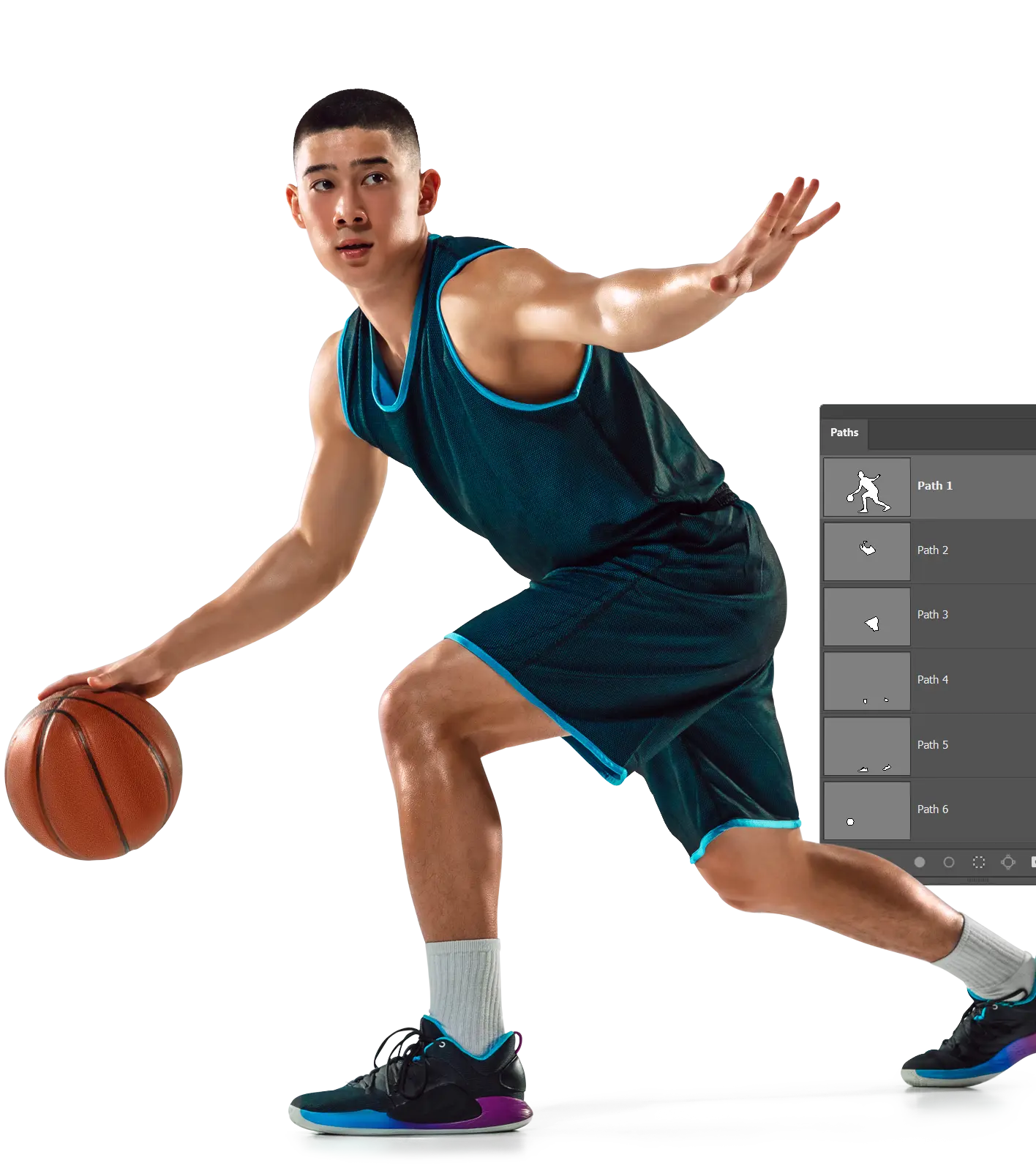
One named path for every part, in one PSD.
Trusted by 150+ Large Enterprises




What is a multiple clipping path?
It's a set of separate vector paths, one for each part of a product, saved in a single Photoshop file. Your team can select, recolor or adjust any part without touching the rest.
Single path
1 path
Cuts the whole product from its background. Best for white-background and cutout shots.
Clipping path service ›Multiple paths
1 path per part
Separates every part from every other part. Best for color variants, recolors and part edits.
Test 3 images free ›Masking
Layer mask
Handles soft and fine edges that paths can't, like hair, fur, lace and glass.
Photoshop masking ›Edit colors.
Not selections.
On a 300-SKU drop, most of your retouchers' hours go into selecting parts, not editing them. That's the time we give back.
Without it.
Every colorway starts with a new selection.
Someone rebuilds the selection around the collar, zip and cuffs. Then does it again for the next color, and the next.
With it.
Open the PSD. Pick "collar". Recolor.
Every part is already on a named path, so each variant takes one click to select, and the whole batch matches.
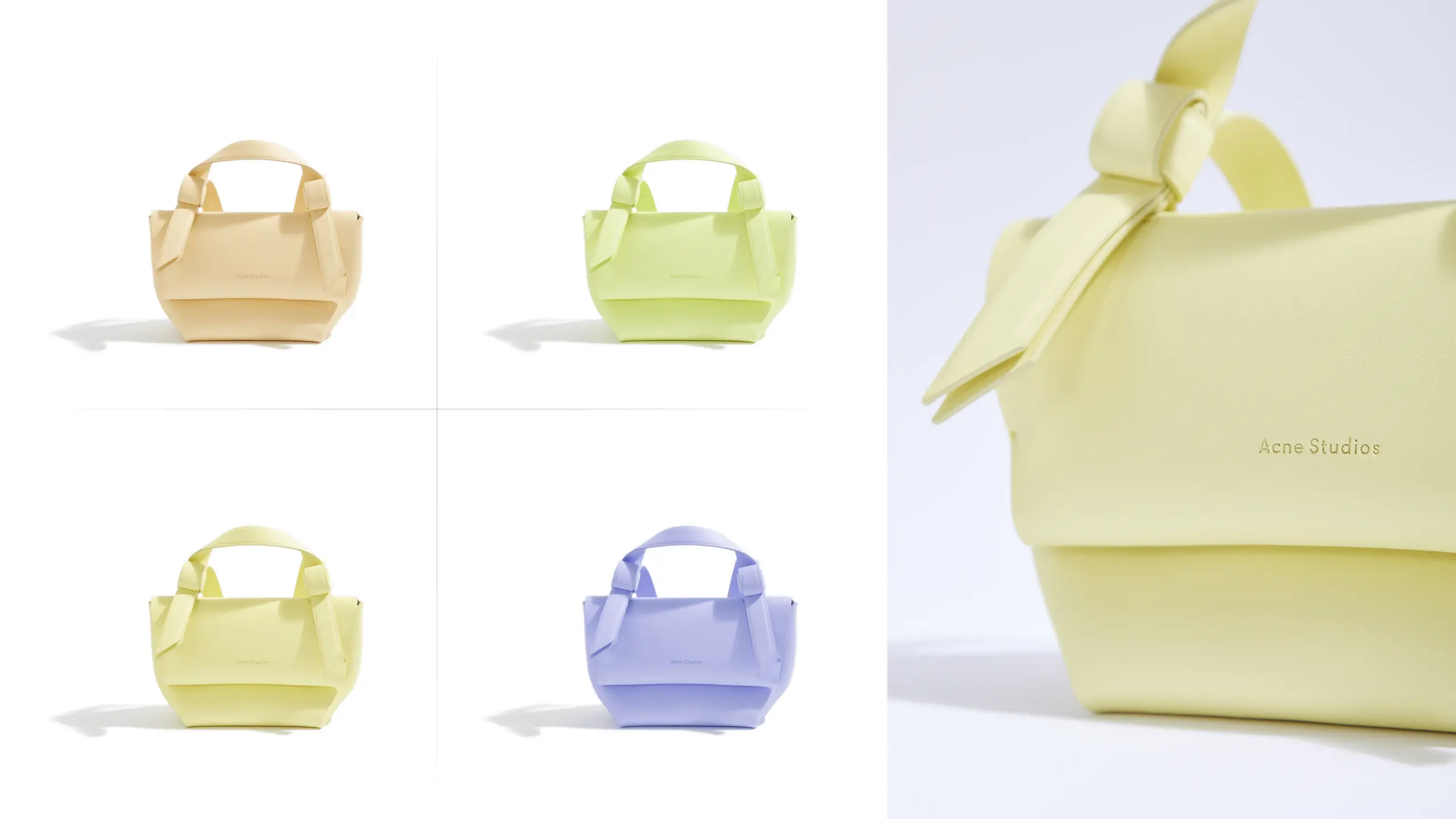
You send the shoot and your part list. We send back layered files named to your system, checked in 3 QC steps.
What's inside every file.
1 path per part
You decide the part list. We agree on it with you on the free test images before any batch starts.
0.5 px
Path tolerance. Hand-drawn with the Pen Tool. No auto-select, no AI cutouts.
strap_left
strap_right
buckle
Named your way. Path, layer and file names follow your brand taxonomy or DAM.
PSD · TIFF · PNG · JPEG
Every format at no extra charge. Paths intact, plus layer masks or white backgrounds if you need them.
Cloud · SFTP · DAM
Delivered where you work. Secure cloud folders, SFTP or sync straight to your DAM.
Made for products with more than one part.
From sneakers to sofas: if it comes in more than one color, it needs more than one path.
Apparel & footwear
Collar, cuffs, zip, sole and laces. Every colorway from one sample.
Add retouching ›Furniture
Frame, cushions, legs and piping. Each fabric swatch needs one render, not one shoot.
Jewelry & watches
Metal, stones, strap and dial, each with its own finish.
Cosmetics & packaging
Cap, body, label and pump. Printing a catalog? Ask for deep etch.
Photo deep etch ›Selling on Amazon? Every variant still has to meet the marketplace rules. Read the Amazon image requirements guide ›
From first test to full batch.
1
Send 3 images free
Add your part list, or let us propose one.
2
Approve the spec
We lock the path names, formats and folders with you.
3
3-step QC
Editor, senior reviewer and final check on every image, with a dedicated project manager.
4
On your clock
20-hour overnight at no extra cost, or 1-hour express when the launch is tomorrow.
"We stopped spending hours drawing paths in-house. The PSDs arrive structured, clean, and consistent across the full batch."
"Layer naming, masks, and alpha channels are delivered exactly how our workflow needs it. Fewer revisions, smoother production."
"We handle big catalogs and rush launches. Their multi clipping paths keep the whole set consistent, even under tight deadlines."
Questions? Answers.
What's the difference between a single and a multiple clipping path?
A single path separates the whole product from its background. A multiple clipping path gives each part its own path, so you can edit parts separately, like recoloring a strap without touching the buckle.
How many paths can you draw on one image?
As many as the product has parts. A simple item may need 3 paths and a sneaker 10 or more. We agree on the exact list with you on the free test images.
Which file formats do you deliver?
Layered PSD or TIFF with every path intact, plus layer masks, transparent PNG or white-background JPEG if you need them. Every format costs the same.
Can you create the color variants for us too?
Yes. Send the Pantone or hex values and we'll return each variant ready to publish, alongside the path file. See how we quote batches ›
How do you keep large seasonal launches consistent?
We lock a production guideline before rollout: edge tolerance, path naming, shadow direction and QC checkpoints. Every SKU then goes through 3-step QC.
Can you name paths and folders to match our DAM?
Yes. File names, folder structure and path labels follow your system.
How secure are unreleased campaign files?
We sign an NDA on request. Files stay in access-controlled cloud storage, and only your assigned team handles them.
What turnaround can we expect?
20-hour overnight at no extra cost, with express options down to 1 hour. You can also reserve dedicated slots for ongoing drops.
Test us on 3 images.
Pay nothing.
Send three products and your part list. Check every path before you decide.