Amazon Image Requirements The Complete Checklist Before You Upload
Every rule Amazon checks on your product images: pure white background, 85% frame fill, pixel size, file format and naming. Run your photos through this checklist and stop losing listings to suppression.
Get 3 Amazon Images Edited Free4.85/5 • Rated by 2,500+ creative teams
Trusted by 150+ Large Enterprises






Main Image: The 3 Hard Rules
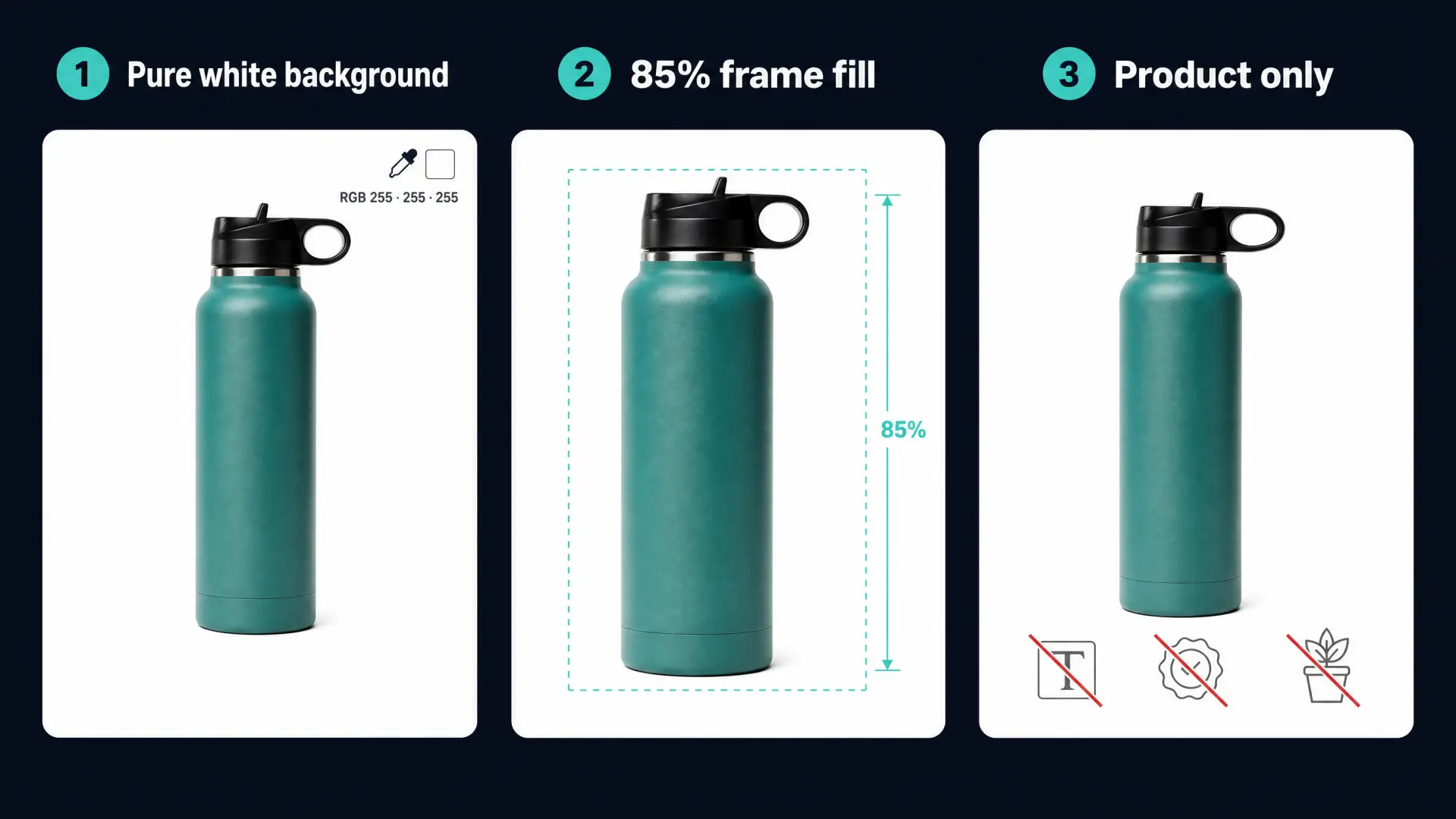
Amazon reviews the MAIN image automatically, and breaking any of these rules can suppress the listing from search. 1) Pure white background, exactly RGB 255, 255, 255, not off-white, grey or transparent. 2) The product fills at least 85% of the frame, so on a 2000 × 2000 px canvas the product's longest side spans about 1,700 px. 3) Only the actual product that's in the box, with no text, logos, watermarks, badges, borders or extra props. Pure white RGB 255 • 85% frame fill • Product only
Get Free SampleTechnical Specs at a Glance
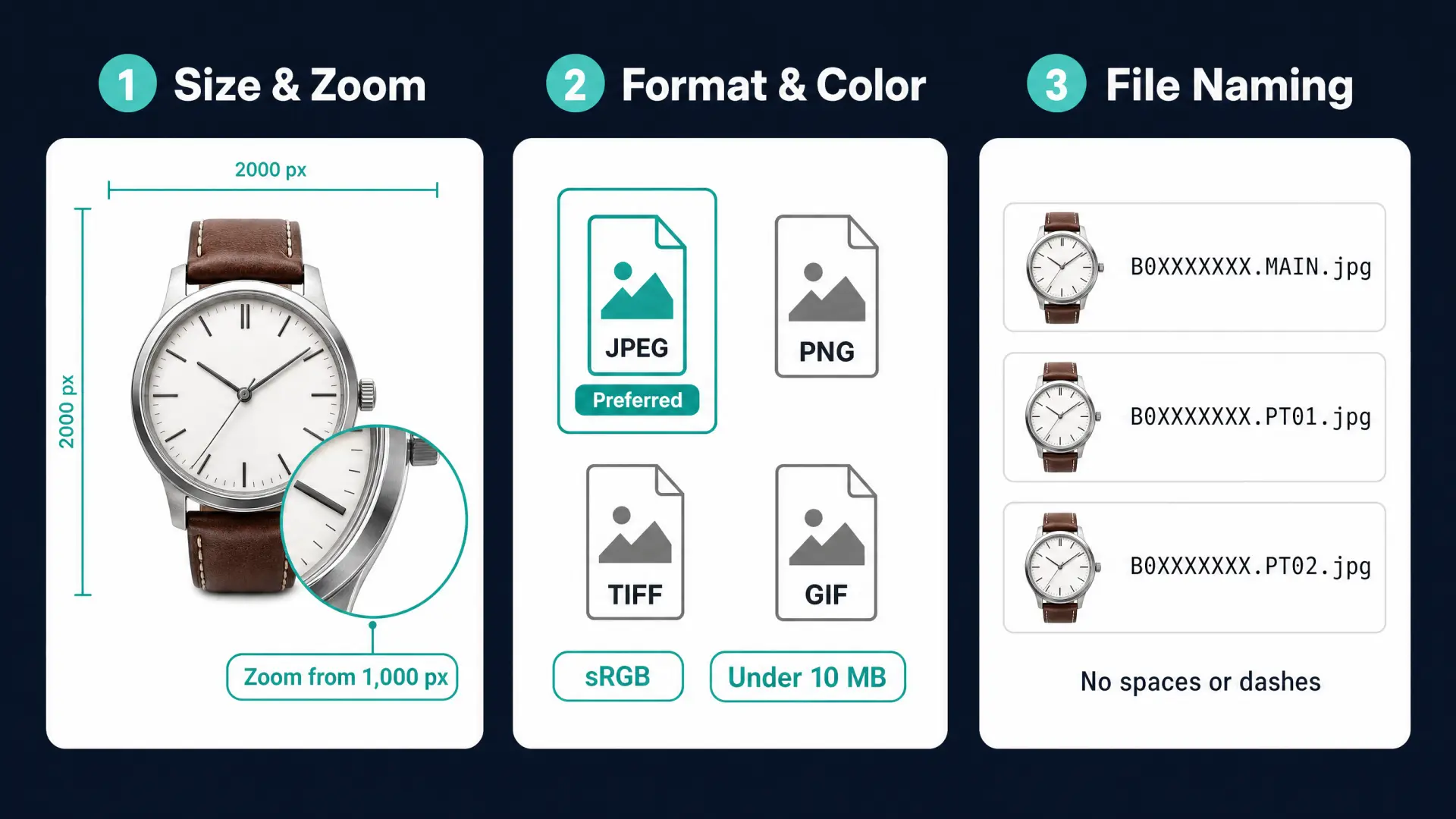
Zoom activates at 1,000 px on the longest side, but 1,600 to 2,000 px or more gives sharp zoom on retina and mobile screens. Use a square 1:1 canvas so products display consistently in search. JPEG is preferred, with TIFF, PNG and non-animated GIF also accepted. Export in sRGB and keep each file under 10 MB. Name files with the product identifier and view code, for example B0XXXXXXXX.MAIN.jpg, then PT01, PT02 for secondary images, with no spaces or dashes. 1,000 px min • 2,000 px recommended • JPEG, sRGB, under 10 MB
Test 3 Images FreeSecondary Images: Where You Win the Sale
The main image earns the click, the other slots do the convincing, and they follow looser rules. Listings accept up to 9 images, so use them all: alternate angles, close-up details, lifestyle scenes, scale shots and infographics. Secondary images can use real backgrounds, props, models and text callouts, as long as the product shown matches what the customer receives. Keep any text large enough to read on a phone. Up to 9 images • Lifestyle allowed • Infographics allowed
Request a QuoteTop Reasons Amazon Rejects Images
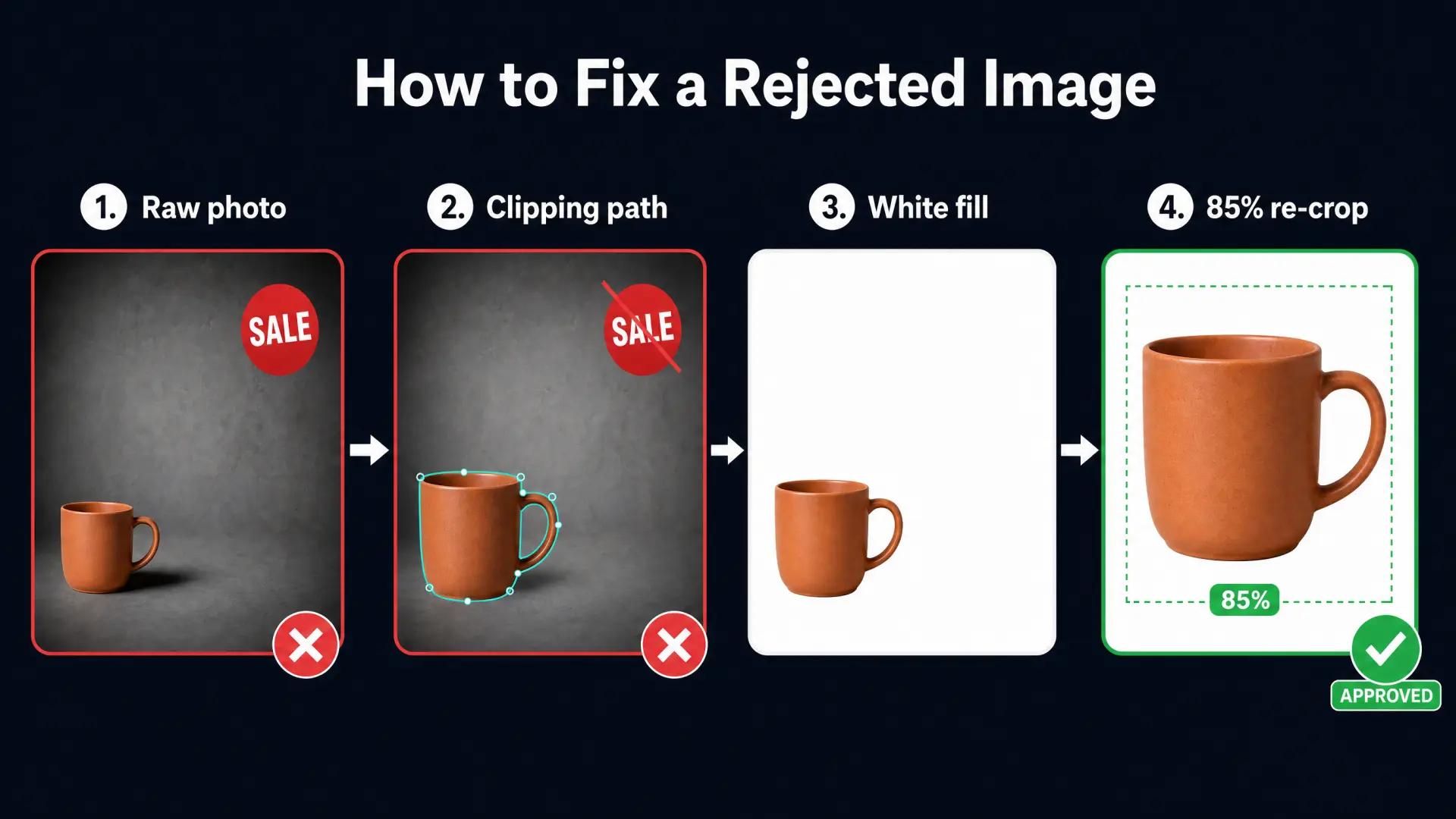
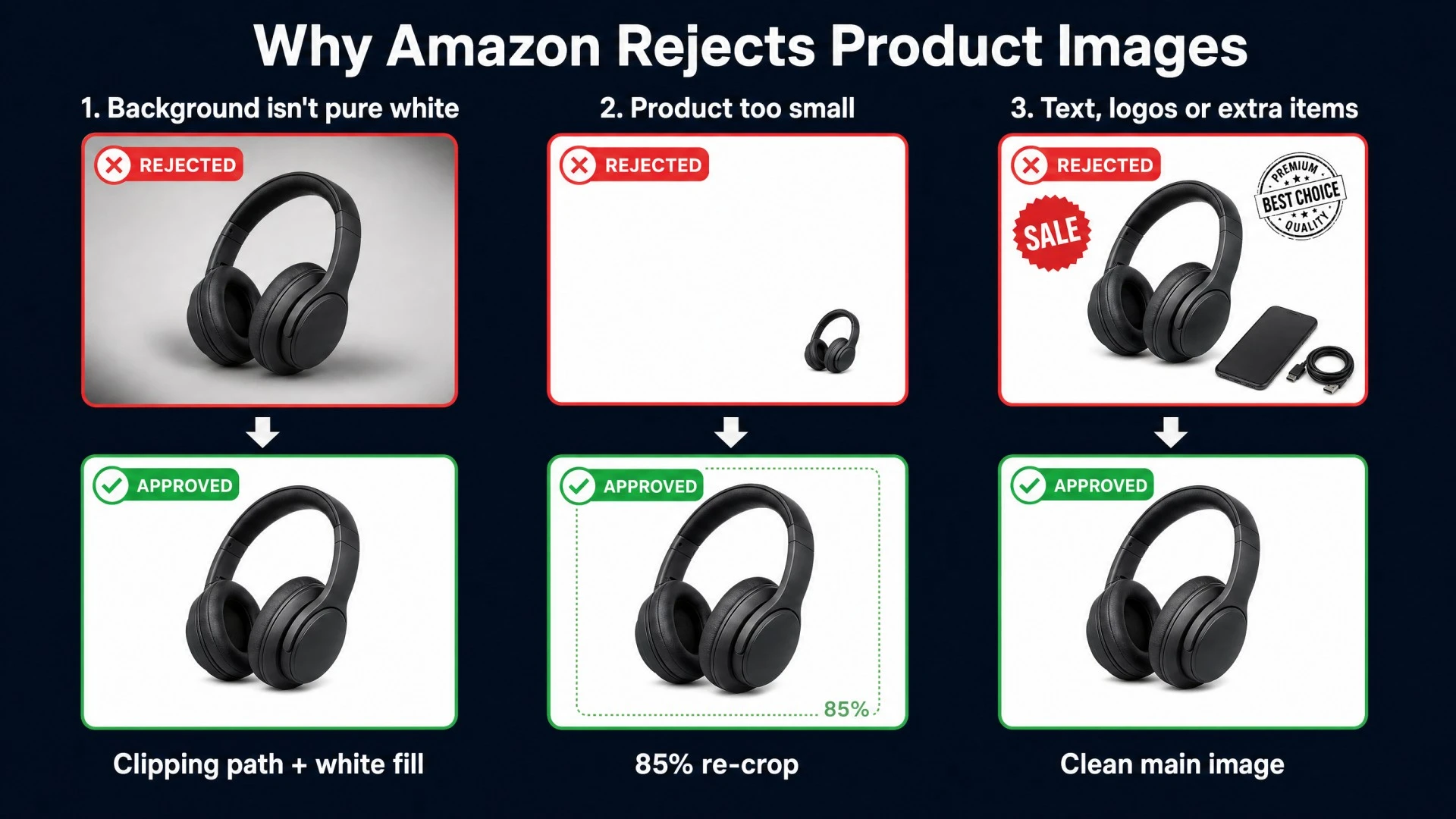
Most suppressions come down to three repeat mistakes. A background that isn't truly white: grey corners, shadows or a slight color cast fail the check, fixed with a manual clipping path and a clean RGB 255 fill. A product that's too small or cut off: fixed by re-cropping to a square canvas so it fills 85% with an even margin. Text, logos or extra items on the main image: fixed by removing them and moving that content to secondary slots. Clipping path • White fill • 85% re-crop
Get Free SampleCategory Notes to Check
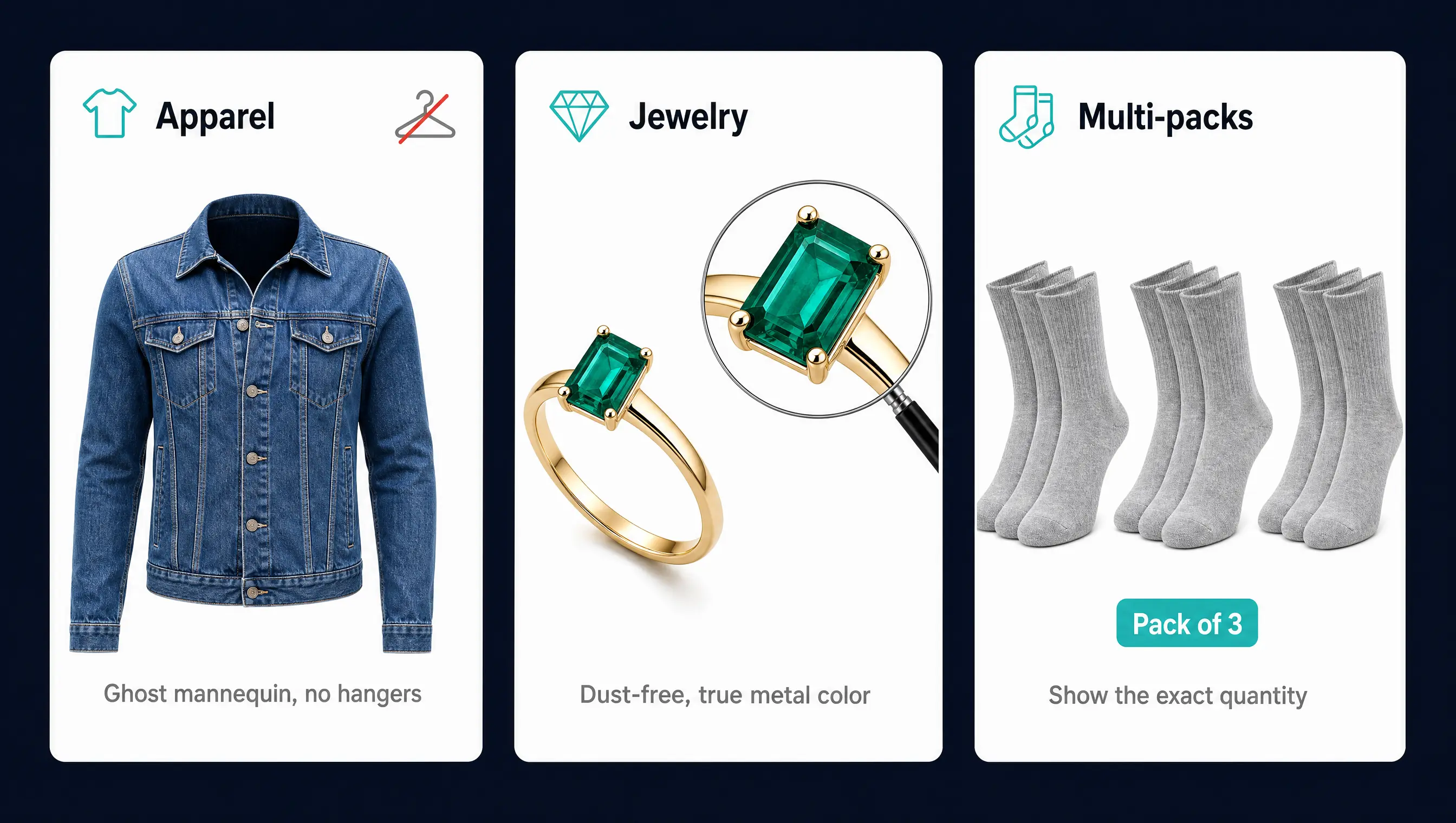
Amazon's category style guides can add rules on top of the general spec, so check yours before a large upload. Apparel usually needs a consistent on-model, flat-lay or invisible ghost mannequin look, and visible stands or hangers are a frequent problem on main images. Jewelry and reflective products show every dust spot under zoom, so clean retouching and accurate metal and stone color matter most. Multi-packs and bundles must show exactly the quantity included, with consistent framing across every variant.
Get Free SampleMake Your Whole Catalog Amazon-Ready. Same Day. Same Standard.

From 10 SKUs to 10,000, our human editors deliver Amazon-compliant images to spec: manual clipping paths, pure RGB 255 white backgrounds, 85% framing, color correction, resizing and ASIN-based file naming, all consistent across every batch. Need it urgently? Use our One Hour Express Service for priority files. For 21+ years we've worked as a real production partner for e-commerce brands, sellers and agencies.
Get Free SampleAmazon Image Requirements: FAQ
Pure white, RGB 255, 255, 255. It is checked automatically, and an off-white, grey or transparent background can get the listing suppressed. Secondary images don't have this restriction.
At least 1,000 px on the longest side so zoom works. We recommend 2,000 × 2,000 px square: sharp on every screen and comfortably under the 10 MB file limit.
At least 85% of the image. On a 2,000 px square, the product's longest side should be around 1,700 px, with a small margin so nothing touches the edge.
No. Transparent areas are not the same as a white background. Flatten the image onto pure white (RGB 255) before exporting.
Up to 9. Use the main slot for the clean white-background shot and the rest for angles, details, lifestyle, scale and infographics.
AI can help with lifestyle backgrounds and infographics, but the product must be shown accurately. For main images, check every file for halos, soft edges and color shifts, since those are what reviewers and shoppers notice first.
Yes. We handle background removal with manual clipping paths, pure white fill, 85% framing, color correction, resizing and file naming in bulk, with delivery in as little as 1 hour for urgent batches.