 One of our clients needs the images tonight for a product launch tomorrow morning. Noha, Henry's wedding client, is checking her inbox every hour for the gallery we promised by Friday. Whatever the shoot was, the same problem shows up at the worst possible time: the photos still need retouching, and there isn't enough time left to do it the normal way.
This is when an Express rush photo retouching service becomes more than a convenience. It becomes part of the production plan.
In short: You can move your project into a dedicated, priority production workflow with 200+ retouchers and quality control that runs alongside editing rather than after it — so you get finished files in hours instead of the standard 48-hour or 20-hour overnight cycle.
The challenge isn't just finding someone who can edit fast. A brand needs launch-ready shots that won't get flagged by the creative content team. An agency needs a batch that stays consistent across several client accounts. A photographer needs images that still look like their work. We're going to walk you through a realistic rush workflow, what's achievable in 4 hours versus 24, and what to prepare depending on which of those you are.
How These Situations Actually Start
Not every fast project starts as an emergency. Most of the time, the deadline becomes urgent because something shifted earlier in the production process — and by the time the retouching stage arrives, the window has already shrunk.
The most common version is straightforward: a product launch, catalog release, or client presentation is scheduled for tomorrow, but the images still aren't ready. For photographers, the pressure looks different but hits the same way — a wedding gallery due Friday, a real estate listing going live at 9 a.m., a portrait session someone needs before a specific event. In all of these cases, rush retouching moves the priority images into a dedicated fast-turnaround workflow instead of missing the date entirely.
Sometimes the problem isn't the deadline itself — it's that the project grew. What started as 20 images quietly becomes 100 or 300, or for a photographer, three "quick" weddings back-to-back with no buffer in between. It's rarely about complexity; it's about not having enough internal capacity to finish on schedule. We get these calls more than any other kind.
Other times, the plan was to handle everything internally, and it didn't go the way the team expected. Background removal starts leaving halos, colors drift across the set, or reflections need more careful correction than anyone budgeted time for. If you're seeing halos or a visible "cutout" edge specifically, that's almost always an automated tool struggling with hair, fine chains, or semi-transparent material — not a sign the whole shoot needs redoing. Our clipping path and retouching team can usually take over just the flagged images while you keep moving on everything else.
Then there's the scenario that probably creates the most stress: the brief changes at the last minute. Cleaner background, different shadow treatment, different crop, extra images added to the original order — and the deadline stays exactly where it was. Our rush workflow is built around exactly this kind of pressure.
And for brands running seasonal launches or new collections, volume spikes can hit without much warning. Hundreds of product images land at once, and the internal team simply can't absorb them alongside everything else. For many brands, we become an extension of the production department instead of another vendor they have to manage.
Regardless of which version brings someone to us, the next question is always the same: what does the actual rush workflow look like from here?
What Happens Once You Reach Out
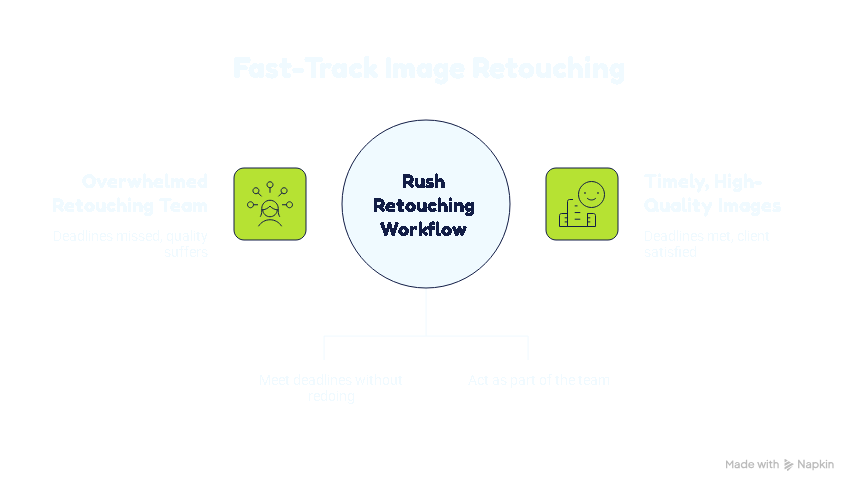
Here's what years of rush work have taught us: if an editor just rushes through the images and sends back inconsistent files, you've replaced one deadline problem with a quality-control problem. Speed without a system behind it doesn't actually save time — it just moves the bottleneck. So here's how we actually handle it.
We start by reviewing the files
The first thing we do is look at what we're working with. Over the years, one thing has become clear: image count alone never tells the whole story — twenty jewelry photos can easily take longer than seventy simple product images. So we always check complexity before promising a deadline.
A quick way to check your own batch before you send it:
| If your images have... | Treat them as... |
|---|---|
| Solid backgrounds, minimal reflections, few products per shot | Straightforward — a 4-hour rush is often realistic |
| Fine chains, transparent materials, hair/fur, multiple reflective surfaces | Complex — expect a longer window or staged delivery |
| A mix of both | Send everything and let us split it by complexity, rather than guessing one turnaround for the whole set |
Internally, work gets sorted into four complexity tiers — simple, medium, complex, and super complex — based on path points, edge detail, and transparency. When you know which tier your batch likely falls into, we can both have a more realistic conversation about what a 4-hour window can actually cover.
Then we lock in the visual direction
Before our editors touch anything, we agree on the visual direction. This step prevents more revision rounds than any other part of the process. A reference image saves real time and stops different editors from interpreting the brief their own way — brightness, color temperature, background tone, shadow softness, skin retouching level.
Weak brief: "Make them look professional and clean." Production-ready brief: "Match the attached reference: pure white background, soft drop shadow at 20% opacity, product filling 80% of frame, no color correction needed on the reds."
This step plays out differently depending on who we're working with. Agencies — for agencies managing several client accounts, the problems that come from using one brief for every client are real. We keep a separate, documented style guide per client under your account, with a dedicated account manager handling client-specific guidelines and escalations, so a rush batch for Client A doesn't accidentally pick up Client B's shadow style. Photographers — the concern we hear most often is "will this still look like my editing?" Sending us two or three of your own previously finished images as reference is the fastest way to answer that question before the rush batch starts, not after you've gotten files back that don't match.
We assign the right team and turnaround tier
With the brief locked, the project moves into production. We offer priority turnaround from 1-hour Express to 4-hour Rush and 10-hour Prompt, with Regular for less urgent work. The right option depends on complexity, not just count. For complex work, we always ask ourselves the same question: "How fast can we do this without creating a second problem?"
Quality control runs alongside production, not after it
We don't wait until every image is finished to check quality. Our QA team reviews completed batches while production is still running, so we can catch consistency issues before they affect the rest of the project. For large jobs, we send finished batches to you as they're ready — that way you can flag a style issue early rather than discovering it after the whole set is done.
Delivery matches your workflow
Delivery formats include layered PSD, TIFF, JPG, or transparent PNG, and we accept RAW, PSD, TIFF, JPG, PNG, and WebP accepted as source formats. A beautiful image with the wrong dimensions or missing layers still creates a bottleneck on your end — so file organization is part of the job, not an afterthought.
That's the workflow from start to finish. But understanding the process raises the next practical question: how much can we realistically get done within a specific time window?
What's Realistic in 4 Hours — and What Isn't
Short answer: a 4-hour rush is realistic for straightforward product images, but image count alone doesn't determine whether a project fits the window — complexity does. We guarantee the turnaround for the tier you select once we've confirmed the project. What we don't do is promise a tier before reviewing the files — because editing requirements, complexity, consistency needs, and our production capacity at the time all affect whether a batch actually fits a 4-hour window.
20 images: if they're relatively straightforward — basic retouching, background cleanup, dust removal, clipping paths — a 4-hour rush is a reasonable option to discuss. Complex compositing, intricate masking, or extensive skin retouching in that same batch pushes the timeline out. We'd rather tell you that upfront than deliver something that needs a second round.
70 images: Consistency across the batch becomes just as important as speed. That's why we usually recommend staged delivery, a larger team, or a longer turnaround after reviewing the files instead of forcing everything into a single 4-hour window.
Once you have a sense of what's realistic for your batch, the next decision is which turnaround tier actually fits your deadline.
Choosing the Right Turnaround — and Understanding the Cost
If your deadline is critical, send us the files, image count, editing requirements, and exact deadline first. We'll recommend the fastest realistic turnaround — rather than you guessing a tier and hoping it fits.
Priority delivery costs more because we're pulling editors off other work and adding review capacity on short notice:
- Express (1 hour): +300% Express Charge
- Rush (4 hours): +200% Rush Charge
- Prompt (10 hours): +70% Priority Charge
- Overnight (20 hours): and Standard (48 hours): included, starting from $1 per image
Orders exceeding 500 images per month qualify for volume pricing, quoted per account — worth asking us directly if you're an agency or brand with recurring volume.
Whether the surcharge is worth it usually comes down to the cost of the alternative. A missed launch date means ad spend with nothing to point it at; a delayed listing means lost sales days; a late wedding gallery means a client relationship souring before it's even finished. Against that, a +200% surcharge on a $1–$10 base rate is often the cheaper option — more than one client has done the math and realized that a single missed campaign day costs more than the entire rush fee.
So now you know what's possible, what it costs, and how the workflow runs. The next step is practical: what should you actually have ready before you contact us?
| Situation | Better option |
|---|---|
| Critical images needed immediately | 1-hour Express |
| Same-day campaign, client deadline, or event gallery | 4-hour Rush or 10-hour Prompt |
| Overnight production needed | 20-hour Overnight (included) |
| Standard catalog or eCommerce workflow | 48-hour Standard (included) |
| Large or highly complex batch | Confirm capacity and staged delivery first |
What to Have Ready Before You Reach Out
When clients contact us under deadline pressure, one pattern is consistent: the ones who get the fastest results always have four things ready:
Your original files. RAW or TIFF gives us the most flexibility for significant corrections; JPG, PNG, and PSD also work.
Two or three reference images. Don't just say "make them look professional" — show us what that means for your project. Two good reference images often prevent an entire round of revisions.
Your exact deadline, with time zone. Not "ASAP" — "20 images by 6:00 PM Eastern today." If your team and our editors are in different zones, state both, or use UTC. "ASAP" means something different depending on which side of the world reads it first.
Your brand or client guidelines. Background color, shadow preference, margins, crop, retouching intensity, file format.
If you're working with an eCommerce catalog, marketplace specs matter downstream too — Amazon's main image requirement, for example, calls for a pure white background with the product filling at least 85% of the frame and no watermarks. Image quality is also increasingly a discoverability factor for AI-assisted shopping, not just a compliance checkbox — covered in more depth in our guide to preparing product images for AI-driven shopping.
And if you're reading this after the deadline has already passed? That changes the approach slightly.
What If You've Already Missed the Deadline?
Don't spend the next three hours trying to fix everything yourself before reaching out to us. Send the actual files — the sooner we can see the images, the sooner we can tell you what's feasible. A good emergency brief answers five questions: What editing is required? How many images? When is the absolute deadline? What should they look like? How should they be delivered?
To show what this looks like in practice, here's a real project that tested every part of the workflow we've described above.
A Real Example: 1,200 Images Under a Four-Day Deadline
One project still stands out. A US jewelry brand came to us with 1,200 product images — fine chains, mixed metals, reflective surfaces — and a Friday deadline. We split the job across four senior editors with a dedicated QA lead, locked style requirements before production began, and delivered in batches while QA ran in parallel. Result: delivery 14 hours ahead of deadline, 96.8% first-round approval.
The lesson we took from that project isn't that every 1,200-image batch can be completed in four days. It's that deadline-driven image production needs a production system, not just more Photoshop hours.
That kind of system works for large product batches — but agencies and photographers each bring their own specific requirements to rush work. Here's how we handle both.
For Agencies: Managing Rush Work Across Multiple Clients
The pattern with agencies is always the same — the bigger risk isn't speed, it's one client's rush batch drifting from another's approved style because everything moved through the same fast queue. The fix is dedicated account management: one point of contact for your job briefs, per-client style documentation, invoicing, and quality escalations. Files can move under NDA, and standard vendor-onboarding with NET 30 invoicing is available for agencies with procurement requirements. This doesn't change the turnaround math above — it just means the tier you pick can scale across accounts without the consistency risk of rushing multiple brand styles through one pipeline.
For Photographers: Rush Retouching Beyond the Product Shoot
The same pressure that hits eCommerce catalogs shows up for wedding, portrait, and real estate photographers on a different timeline — a gallery due Friday, a listing that has to go live before an open house. These are capacity problems, not complexity problems, and they respond to the same fix: a dedicated rush queue instead of clearing a backlog alone at 1 a.m.
What matters more here than in a product-catalog job is style match. A brand can specify "20% shadow opacity" and get something objectively checkable; a photographer's edit is closer to a signature. The real question isn't "how fast" but "will this still look like my work" — and sending us two or three of your own previously finished images as reference is the single most effective (and free) way to protect that. Matching individual photographer styles across rush batches is something the team does regularly — it just starts with seeing your work first.
Whether it's a brand, an agency, or a solo photographer, every rush job eventually comes back to the same thing: judgment under pressure.
Why Judgment Still Matters When the Deadline Is Tight
Certain situations consistently need experienced judgment rather than a one-click pass: fine jewelry chains against a bright background, reflective metal and glass, transparent packaging, hair and fur, and shadows that need to look natural rather than pasted on. When speed replaces care, the result is predictable — halos, broken edges, inconsistent color across the batch — and a second round of corrections that costs more time than the rush saved. The goal isn't to get files back quickly. It's to get usable files back quickly.
That standard is also what separates a production partner from a vendor who just promises fast turnaround — which brings us to how to tell the difference.
How to Choose a Rush Photo Retouching Service
If you're comparing vendors for an urgent project, don't just ask about price and turnaround. Ask: Can you confirm the deadline after reviewing my actual images? Can I send reference images or a style guide? Who handles quality control? Will the same standard hold across the batch — and across separate client accounts, if that applies? What happens if an image doesn't match the approved brief? Is there a volume rate past a certain monthly count? How will files be transferred, protected, and retained?
These questions reveal whether you're dealing with a real production partner or just someone promising a fast turnaround. We're happy to answer every one of them before you send a single file.
Frequently Asked Questions About Rush Photo Retouching
What is a rush photo retouching service?
A priority editing workflow for projects that need finished images faster than a standard turnaround — same-day, four-hour, or even one-hour delivery, depending on complexity.
Can I send RAW files for rush retouching?
Yes. RAW or TIFF is particularly useful when significant correction is required, since it preserves more image data for us to work with.
Can a retouching company match my existing brand — or personal — style?
Yes, with reference images up front. For brands, that's color and shadow guidelines. For photographers, it's a couple of your own previously edited images — we match your editing style, not a generic interpretation of "professional."
Can 20 images be retouched in 4 hours?
Often, if they're straightforward — basic retouching, background cleanup, dust removal, or standard clipping paths. Complex jewelry or extensive beauty retouching in the same batch can push past four hours. We'll tell you upfront after reviewing the files.
Can 70 images be completed in 4 hours?
Sometimes, but only when images are simple and we have the capacity to maintain consistency. For larger or more complex batches, we usually recommend staged delivery.
Can I work with ClippingPathService.com as a white-label partner for my agency's end clients?
Yes. Files move under NDA, and we work as your "invisible backend" production team — delivering to your exact specs without needing to be disclosed to your end clients. You also get a dedicated account manager who maintains client-specific style guides and handles invoicing and escalations across accounts.
Is there a volume discount for recurring monthly work?
Yes, for orders exceeding 500 images per month — quoted per account rather than published as a fixed rate. Reach out and we'll put together a custom proposal.
How long are my files kept after delivery?
30 days, to give you time to download and verify, then permanently deleted unless you have an ongoing production arrangement with us.
What happens if I need revisions on a rush order?
Revisions based on your original instructions are unlimited and included, not billed separately. The goal is a file you can actually use, not just a fast first pass.
When the Deadline Is Tight, Start With the Deadline
Emergency retouching works best when we know exactly what we're being asked to deliver. Send us the images, state the count, give the exact deadline, include your references — and we'll confirm the fastest realistic delivery option.
Have a Deadline Today?
Send your image count, deadline, and a few sample files. We'll review the workload and recommend the fastest realistic turnaround for your project.